Letting Claude Code Get Shit Done
My experience using GSD, a structured development system for Claude Code that trades micromanagement for process — and produces surprisingly precise, high-quality code.
I started my AI-assisted development journey with Codex. I was strict about it — documenting every decision, maintaining context files, tracking learnings and pitfalls, keeping a roadmap updated. That discipline was all on me, and over time I couldn’t sustain it. Claude Code’s Plan mode felt like progress — it added guardrails for spec writing — but that’s one step. The rest was still manual. Same erosion, same result: eventually you’re prompting from memory and wondering why the output is getting worse.
The core problem isn’t any single step you skip. It’s that maintaining discipline at every iteration across a long project is exhausting. You have to protect the boundaries and you get diminished results the moment you don’t.
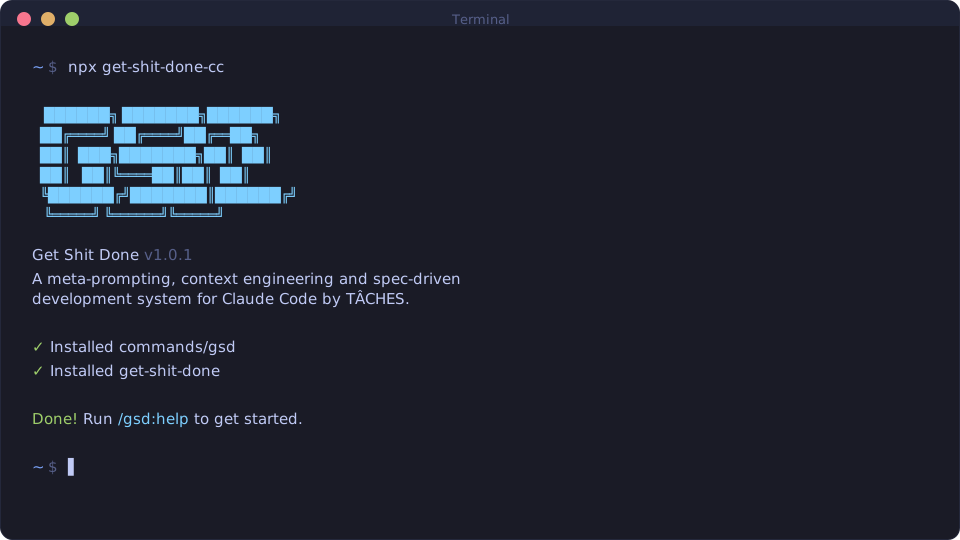
GSD (Get Shit Done) is a system that enforces that discipline for you. It sits on top of Claude Code and runs a structured process for every phase of your project — research, discussion, planning, execution, verification — tracking everything along the way and using sub-agents to keep the main context clean. It also supports OpenCode, Gemini CLI, and Codex — this post covers the Claude Code experience.
How it works
You start by describing your project. GSD supports greenfield projects, brownfield feature additions, and quick tasks — pick what matches your situation and give it context about what you’re building.
From there, you can optionally run a research phase where it investigates your stack, identifies pitfalls, and explores the solution domain. Then comes discussion — GSD identifies gray areas and asks targeted questions across configurable areas. Not always questions you’d miss, but it asks with equal attention every time. After the first round, it suggests more topics. You can keep going. The value isn’t novelty — it’s consistency. It’s hard to sustain that level of thoroughness across dozens of decisions.
Once the problem space is mapped, planning kicks in. GSD researches each part of the solution, breaks work into parallelizable “waves” based on dependencies, then verifies the plan actually makes sense before executing. The verification step caught a few structural issues for me that would have been annoying to untangle later.
During execution, sub-agents handle each task in a fresh 200k-token context. You get atomic git commits per task, which gives you a clean history of each process step. If something goes wrong, you can trace it back to exactly which task introduced the issue.
Finally, verification checks deliverables against the original goals. If it finds gaps, it loops back to discussion, planning, or execution for that specific gap — not a full redo.
What I didn’t expect
Surprisingly little code, surprisingly high quality. The output is well-organized and to the point — just what was needed.
Not steering the LLM at every step frees you to focus on the actual problem. It’s different mental work — more like reviewing architecture than pair-programming. You spend your energy on decisions rather than steering the AI.
Consistency is the real payoff. Getting lazier over time is the most human thing in the world. GSD doesn’t get lazy. It runs the same thorough process on step 50 as it did on step 1.
Working outside the process
If I had one piece of advice for newcomers: know what’s available before things go sideways. The structured process handles the happy path well, but things will go sideways. When they do, you need to already know which path to take.
Bug you can’t pin down — /gsd:debug "description" runs a systematic investigation. It creates a debug session that survives /clear, so you can resume across context resets.
Small, clear change — /gsd:quick spawns a planner and executor, skipping research and verification. Good when you already know what to do and just need it done cleanly.
Unplanned work that needs structure — /gsd:insert-phase creates a decimal phase (e.g., 6.1) between existing phases. Then plan and execute that phase normally. Whether it’s a fix, a missing feature, or a new requirement — it keeps the overall structure intact.
Found during UAT — /gsd:verify-work walks through acceptance tests, auto-diagnoses failures, and creates fix plans directly. Useful when you’re testing the finished product and something doesn’t match expectations.
The cost question
GSD has model profiles — Quality (Opus for most things), Balanced, and Budget.
Quality mode is expensive. On my Enterprise Premium plan, I was hitting Claude’s usage limit within 2–3 hours of the 5-hour rolling window. The exact cost depends on your plan and usage patterns, but don’t expect it to be cheap.
Balanced mode is much more reasonable and produces similar quality for planning and research. Sonnet can sometimes struggle with fixing things that break during execution — a server that won’t start — but that’s the exception.
The tradeoff: more costly than vanilla Claude Code, but more controlled. Less rework, less re-explaining context, fewer “wait, we already discussed this” moments.
I ran a side-experiment with OpenCode and my OpenAI account. GSD’s OpenCode support was community-ported first and only officially integrated two weeks before this post — and it shows. The interactive questioning that keeps the process on track doesn’t work properly in OpenCode, so things went off-course quickly. The community port (gsd-opencode) exists precisely because the official integration is still catching up. Stick to Claude Code for now.
What I’d change
More thorough gap reviews. GSD runs gap analysis, but I still add a manual prompt to verify it. Whether that’s a trust issue or a transparency one — it’s hard to tell without knowing exactly what it checked — the uncertainty alone is enough to make me verify manually.
Research-based recommendations. Sometimes GSD asks a question to select an approach, but you don’t have the context yet to answer it. It already did the research — it should surface recommendations and verify them with you, rather than presenting it as an open question.
Discussion depth. Sometimes four discussion areas feel comprehensive, sometimes you wonder if everything was captured. An option for wider or deeper coverage would help, especially for larger projects with more surface area.
The bottom line
GSD represents a different philosophy: invest upfront in context and structure, then let the AI work within those boundaries. After two greenfield projects, the pattern is clear — well-organized code, precise results, clean git history.
If you try it: start with something manageable and trust the process even when it feels slow.
I’ve written a follow-up covering what I’ve learned since — auto-advance quirks, Nyquist validation, and a brief detour through GSD-2.
Get started
npx get-shit-done-cc@latestSource and documentation on GitHub.
Written with AI assistance. How that works →
Found this useful?
Get notified when I publish something new. No spam, unsubscribe anytime.